
Most organisations carefully manage who can access their buildings, systems and data. Far fewer spend time considering who can directly message, call or video-chat their employees.
Microsoft Teams, Zoom and Slack are now essential business tools. They enable fast collaboration with customers, suppliers, consultants, contractors and business partners. The same external access features that make communication easier can also give attackers a direct route into an organisation, through a channel employees already trust.
This isn't a vulnerability in the platforms themselves. It's a trust problem.
An unexpected email is usually viewed with suspicion. An unexpected Teams message or call can feel far more legitimate, particularly when it appears to come from a recognised organisation or a familiar-looking contact. That trust is increasingly being exploited by criminals using impersonation, social engineering and fraud, and Sophos alone tracked dozens of organisations hit this way between February and June this year, several ending in ransomware.
Why external access creates risk
External access lets people from different organisations communicate without becoming internal users. The capability delivers genuine business value: sales teams talk to prospects, account managers work with customers, project teams collaborate with suppliers, recruitment teams engage with candidates.
The challenge is that employees can't always tell the difference between a trusted business contact, a genuine supplier, a legitimate Microsoft 365 user from another organisation, and an attacker using a convincing display name. That means an attacker can engage an employee directly through a trusted business platform without ever needing to compromise an internal account first.
The channel is legitimate. The person behind it may not be.
How attackers exploit collaboration platforms
The most successful attacks rarely rely on technical sophistication. They rely on trust, urgency and a plausible identity.
An attacker contacts an employee through Teams, Zoom or Slack and presents themselves as someone the employee would normally trust without a second thought: internal IT support, a supplier updating payment details, a customer requesting sensitive information, a finance colleague authorising a payment, a senior executive asking for something urgently, a recruitment consultant, a technology vendor offering help. The objective varies. The principle doesn't. The attacker is trying to bypass a normal business process by convincing the employee the request is legitimate.
IT support impersonation — the most visible example
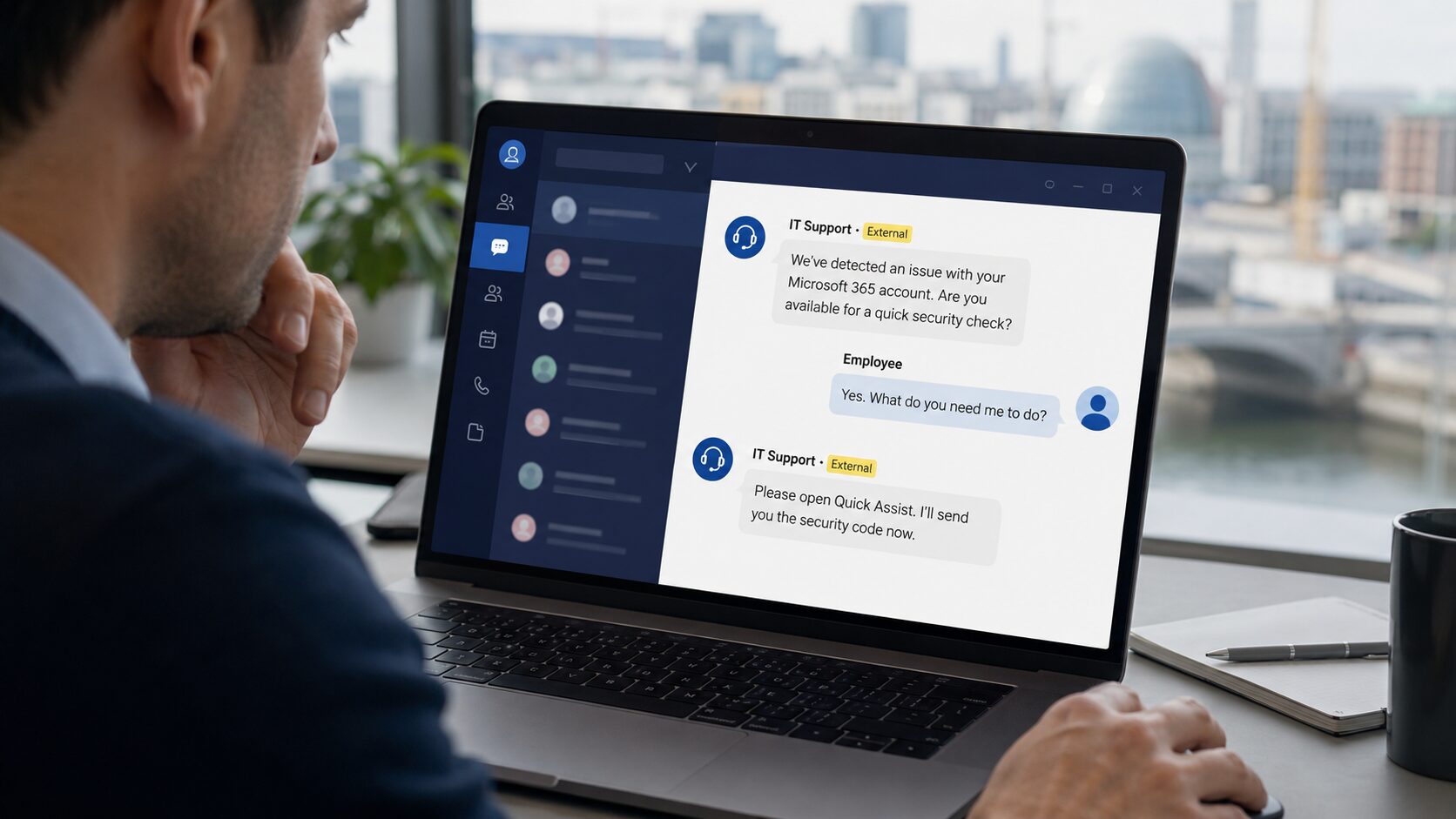
One of the most publicised versions involves fake IT support contacting employees through Microsoft Teams. In campaigns documented by Microsoft and Sophos, attackers posed as helpdesk staff, IT technicians or managed service providers, and asked the employee to open Quick Assist, share their screen, enter a remote-support code, approve an authentication request, visit a sign-in page, or download a remote-management tool.
Once access was granted, attackers attempted credential theft, gained persistent access, or moved further into the organisation. The danger isn't the tools. Quick Assist and remote-support platforms are legitimate technologies genuine support teams use every day. The risk comes entirely from trusting an unverified identity.
Supplier and financial impersonation
Fake support scams attract the headlines, but supplier impersonation and financial fraud can be just as damaging, often more so. An attacker may pose as a supplier updating bank details, a finance contact chasing an overdue invoice, a contractor requesting payment, or a customer seeking a refund or account change. The goal is to redirect money or extract sensitive financial information, and the collaboration platform is simply the delivery channel. An employee who'd question a suspicious email may not think twice when the same request arrives through a Teams chat or a video call from someone who looks and sounds right.
Executive and CEO impersonation
Senior leadership impersonation remains a significant risk. An attacker may claim to be the CEO, a CFO, a director or a department head, and the message almost always carries urgency: approve this payment immediately, transfer funds before the deadline, buy gift cards for a client, share confidential information, approve access to a system.
In some cases, criminals have started using AI-generated audio and video to make the impersonation more convincing. But organisations shouldn't focus solely on deepfakes. Most successful attacks still rely on ordinary social engineering rather than sophisticated technology — a good display name and a well-timed message are usually enough. The strongest defence, whichever version you're facing, remains independent verification.
Why employees trust these requests
Collaboration platforms create a sense of familiarity, and that familiarity works against normal caution in a few specific ways:
The platform feels trusted. Messages arriving through Teams, Zoom or Slack get less scrutiny than the same message would by email.
Conversations happen in real time. That lets an attacker answer questions, apply pressure and manufacture urgency in a way email can't.
The tools involved are genuinely legitimate. Screen sharing, authentication prompts and remote-support software are all real, so recognising misuse is harder than spotting a fake login page.
Public information is abundant. Company websites, LinkedIn profiles, supplier directories and old breach data hand attackers real names, roles and relationships to work with.